
Run your whole restaurant from one screen
Billing, kitchen, table QR orders, stock, staff and reports — in one simple system that works on any PC, tablet or phone.
- No installation
- Works on any device
- Setup in a day
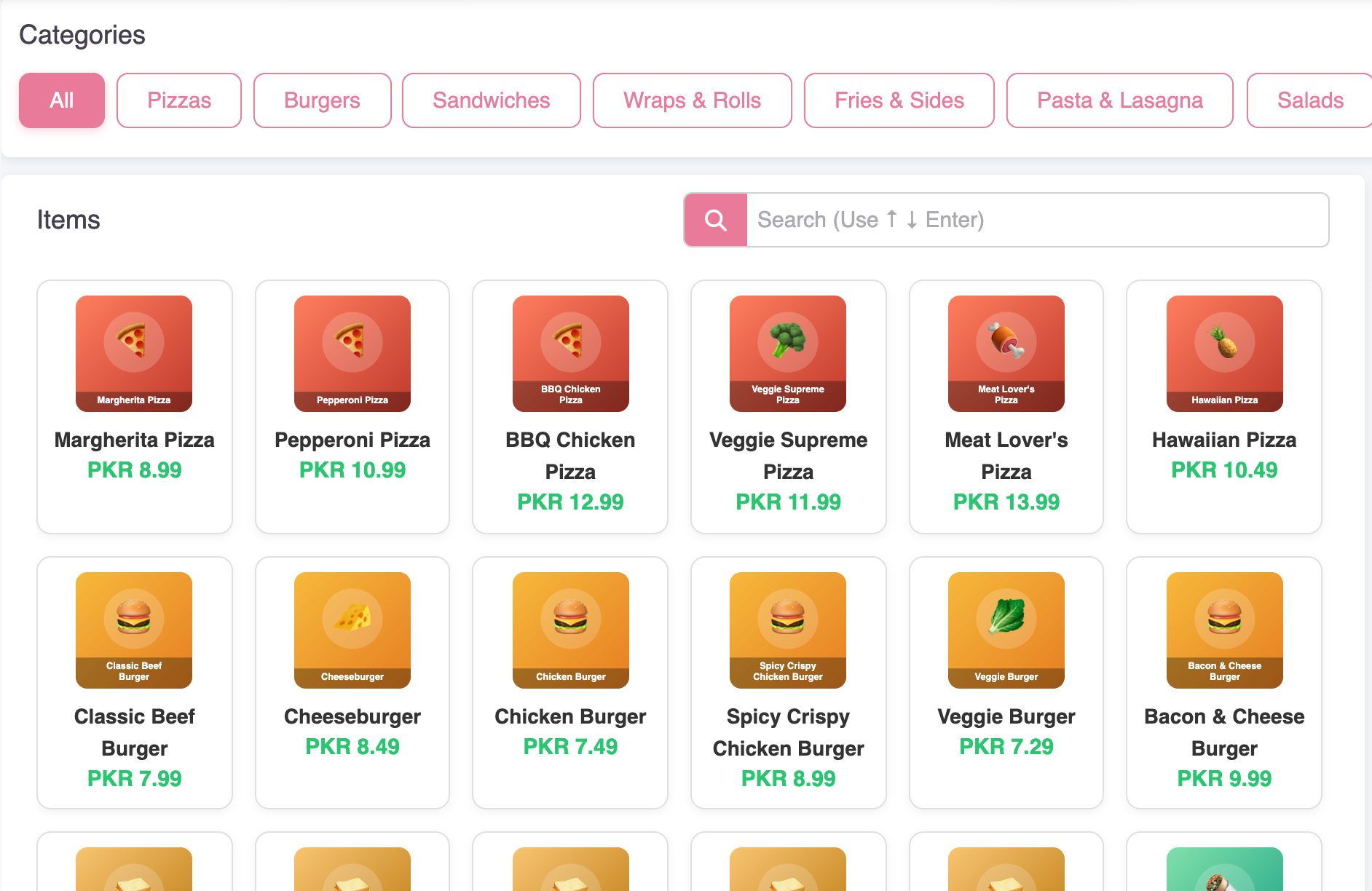
Everything a restaurant needs
One system from the first order to the end-of-day report.
Fast billing
Dine-in, takeaway and delivery orders with discounts, delivery charges and printed tokens & invoices.
Kitchen display
Orders reach the kitchen instantly. Cooks update status and the counter sees what is ready.
Table QR ordering
Every table gets its own QR code — guests scan, browse your menu and order from their phone.
Inventory & purchases
Track raw materials and supplier purchases so you know what you have and what it cost.
Staff, attendance & salaries
Employees, designations, daily attendance and salary records in one place.
Reports that matter
Daily and monthly sales, item-wise and category sales, expenses and payments at a glance.
Roles & permissions
Give cashiers, managers and kitchen staff exactly the access they need.
Customer ordering app
Customers order from your own mobile app and track their order live.
Cloud & secure
Your data is backed up online and reachable from any device, anywhere.
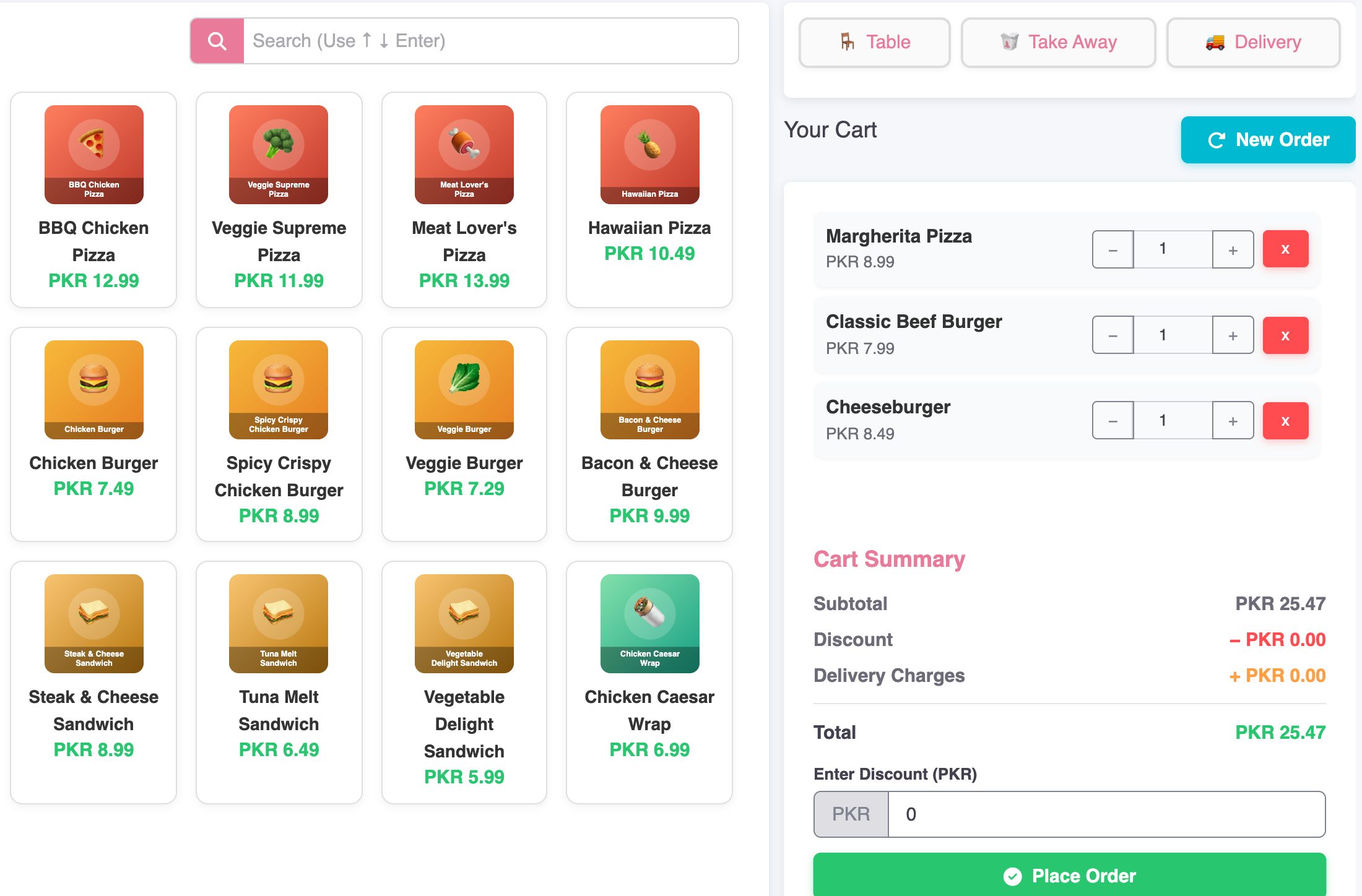
A POS terminal your cashiers learn in minutes
Tap items, pick the table, apply a discount and send the order to the kitchen — one screen, no training manual.
- Dine-in, takeaway & delivery
- Discounts and delivery charges
- Tokens and invoices
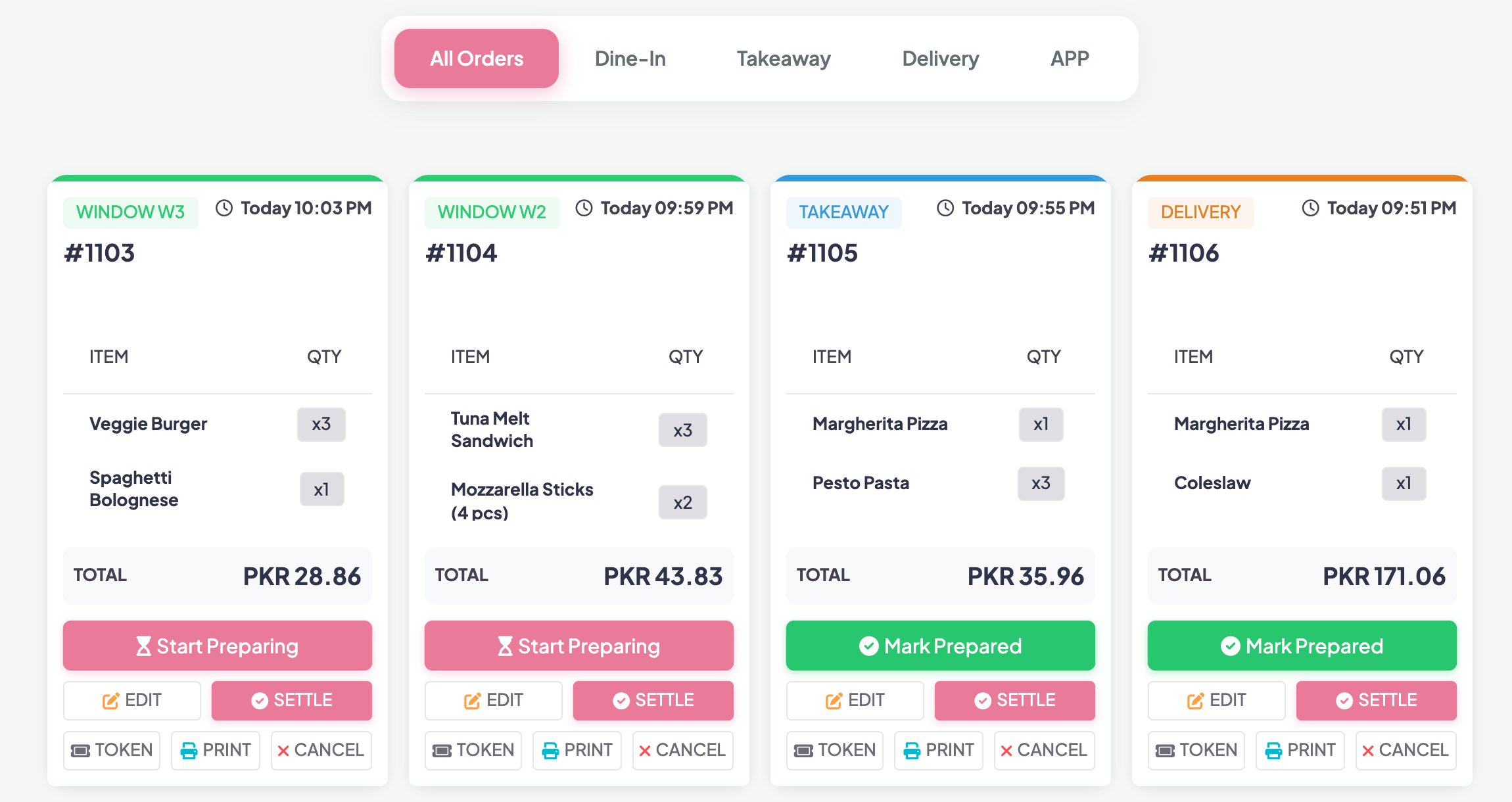
The kitchen always knows what to cook next
Orders appear on the kitchen display the moment they are placed. Status updates flow back to the counter.
- Live kitchen display (KDS)
- Order status screen for guests
- No lost paper tickets
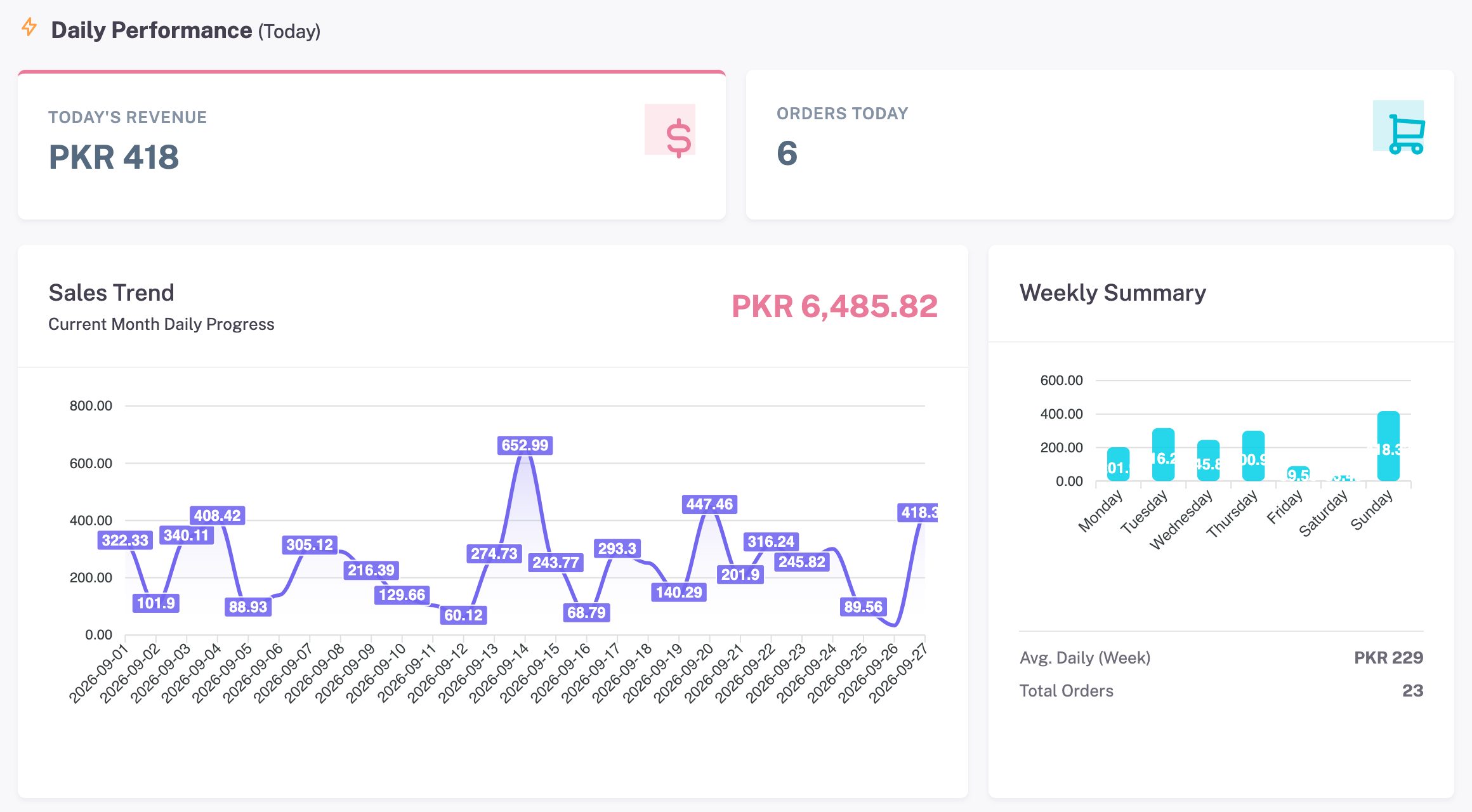
Know exactly where the money goes
Sales, best-selling items, expenses and payments — updated live, ready for the end-of-day close.
- Daily & monthly sales
- Item-wise and category reports
- Expenses and payments
Live in a day
No hardware lock-in and no installation.
Try the demo
Explore a ready-made restaurant with menu, tables and orders.
We set you up
We add your menu, tables, staff and printer settings for you.
Start selling
Log in from the counter, the kitchen or your phone — that is it.
Simple pricing
Pick the plan that fits your restaurant — we will help you choose.
Starter
- 1 outlet
- Billing & kitchen display
- Sales reports
Business
- Everything in Starter
- Table QR ordering
- Inventory, purchases & staff
Enterprise
- Multiple outlets
- Customer ordering app
- Priority support
See it working — free demo
Open a sample restaurant like yours — desi, fast food or ice cream — and try everything: take orders, send them to the kitchen, apply coupons, check reports. Demos reset every night.
Open the demoQuestions, answered
Do I need to install anything?
No. Rihla POS runs in the browser on any PC, tablet or phone. You only need an internet connection.
Can I print receipts and kitchen tokens?
Yes — invoices and order tokens print from the browser on any receipt printer connected to your counter PC.
Is my data safe?
Your data is stored securely in the cloud, every connection is encrypted (HTTPS), and each restaurant only ever sees its own data.
Can I try it before paying?
Yes. Open the free demo — a sample restaurant with menu, tables and orders — and try every feature. It resets every night.
Do you help with setup?
Yes. We add your menu, tables, staff and settings and walk your team through the system.
Talk to us
Questions, pricing or a guided walkthrough — leave your details and we will get back to you.